RF explainer
2.4 GHz vs 5.8 GHz wireless guitar systems
How to choose between 2.4 GHz and 5.8 GHz wireless guitar systems for home, rehearsal rooms and live venues.
Choose 5.8 GHz when local 2.4 GHz traffic is the known problem. Choose a well-designed 2.4 GHz system when range, worldwide operation or receiver format takes priority. Dual-band systems provide another set of channels at a higher price.
The frequency printed on the box is not a reliability score. It tells you where the system transmits, not how well its antennas, channel selection or error handling work.
The quieter band varies by venue. Check available channels with the audience's phones, Wi-Fi access points and the rest of the production equipment switched on.
Independent review cross-check
Both bands can work cleanly
Hands-on reviews have recorded clean performance from well-designed systems in both bands. Radio design, channel selection, receiver placement and the venue all influence the result.
BOSS WL-50 2.4 GHz review
In a practical range test, the 2.4 GHz WL-50 kept working beyond the room and failed farther down a hall through additional structure. It is one test environment, but it records solid 2.4 GHz performance under those conditions.
Read the original reviewXvive A58 5.8 GHz review
The 5.8 GHz A58 completed a live show, rehearsal and home test without a reported dropout or added noise. Its channel scan is as relevant as its band because it lets the player react to the local RF environment.
Read the original reviewFender Telepath 5.8 GHz review
Telepath also ran cleanly across live, rehearsal and home tests, despite offering a simpler channel system. Taken together, these reviews favour testing the exact product over assuming every 5.8 GHz design behaves alike.
Read the original reviewWhy 2.4 GHz gets crowded
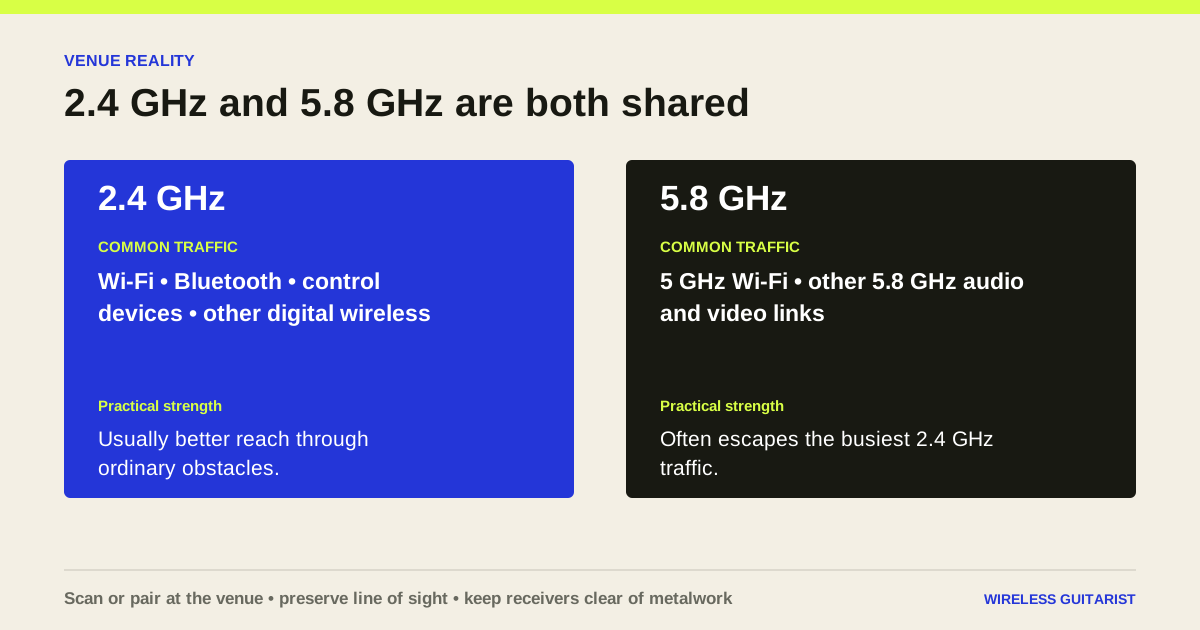
The 2.4 GHz licence-exempt band is shared by Wi-Fi, Bluetooth and many other low-power devices. Ofcom warns that licence-exempt spectrum is shared and can therefore be subject to interference. A busy venue can change dramatically once the room fills with phones.
That does not make every 2.4 GHz guitar system unreliable. Systems such as BOSS WL-50 automatically select a channel, and Shure GLXD16+ can use 2.4 and 5.8 GHz. Good radio design and sensible placement still matter.
What 5.8 GHz changes
The attraction of 5.8 GHz is straightforward: fewer of the familiar Bluetooth devices occupy it, and several guitar systems provide a set of discrete channels away from the busiest 2.4 GHz traffic. Xvive A58 scans six channels; Fender Telepath offers four.
Higher frequency is not magic. Human bodies, walls and stage structures can obstruct short-wavelength signals, and 5 GHz Wi-Fi is common. Maintain line of sight where practical and do not hide the receiver below a metal board or rack shelf.
Home, rehearsal room or festival stage?
At home, either band can be excellent. If your router is close to the amp, try moving it or selecting a different wireless channel before replacing the guitar system. In a rehearsal complex containing many routers, 5.8 GHz may offer a cleaner starting point.
On a production-heavy stage, visibility and coordination beat guesswork. A receiver with scanning or dual-band management is more valuable than a cheap system chosen solely because its box says 5.8 GHz. Scan after the rest of the equipment is powered, then walk the performance area during soundcheck.
A practical buying rule
Choose the product first for pickup compatibility, connector fit, receiver format and battery routine. Then use frequency band to break a tie or solve a known local RF problem. A perfectly clear radio link is useless if the transmitter clips your active guitar or will not fit its socket.
- Known 2.4 GHz congestion: shortlist 5.8 GHz or dual-band systems.
- Maximum simplicity and broad regional availability: 2.4 GHz remains reasonable.
- Unpredictable professional venues: prioritise scanning, displays or automatic dual-band management.
- Several systems on one stage: check the manufacturer's simultaneous-system limit as well as the operating band.
Common questions
Before you buy
Does 5.8 GHz have lower latency?
Not inherently. Latency depends on the product's audio conversion and transmission design, not simply the carrier frequency.
Will 5 GHz Wi-Fi interfere with a 5.8 GHz guitar system?
It can share nearby spectrum depending on the equipment and region. Scan locally and follow the product's channel guidance.
Is 2.4 GHz licence-free in the UK?
Ofcom lists 2400–2483.5 MHz as licence-exempt when equipment meets the applicable requirements. Licence-exempt does not mean interference-free.
Primary sources
Where the specifications came from
Manufacturer figures remain labelled as claims. The independent review links above report what individual reviewers found in their own rigs; they are evidence, not a guarantee of performance in every venue.
Continue researching
More buying guides
BOSS WL-20 vs WL-20L
The practical difference between the BOSS WL-20 and WL-20L, including passive pickups, active pickups, acoustic preamps and cable-tone simulation.
Read guide →Compatibility guideBest systems for active pickups
Wireless guitar systems for EMG, Fishman Fluence and other active pickups, compared using documented input support and headroom.
Read guide →Pedalboard guideBest pedalboard wireless systems
Compare BOSS WL-50, Xvive P58, BOSS WL-60, Sennheiser XSW-D and Shure GLXD16+ for pedalboard use.
Read guide →